Category: Linux Mint

  • Why I Went Back to Windows 11 Pro

    Why I Went Back to Windows 11 Pro

    Some people may be shocked to see this post from me, as I am known as a pro-open source advocate.

    After a few years of many different Linux distros under my belt, I decided to go back to Windows.

    Why?

    It’s pretty simple. No matter what OS you use, there is always going to be problems. Solutions are created to handle these problems, but the timeline of resolution and type of problem that interrupts your workflow is the biggest issue of them all.

    Windows just worked better when it came to software integration, hardware working as its supposed to, and a valued ecosystem of products and services for my workflow. It may not be the best for yours, and that’s for you to decide.

    But doesn’t Windows / Microsoft scrape too much data? Yes, by default. You can adjust Windows to work for you as the tool it once was before all of this A.I. integration. You simply have to do the work and research about how to turn them off.

    To me this was easier than a failed open source driver messing with my GPU or an application that requires additional codecs – just to name some of the most common Linux frustrations that I personally had.

    But Microsoft still collects data about your computer. Yes. Yes, they do. How do you think Windows updates code are written? If you use Microsoft 365, you can either set up sync or choose not to. Better yet, buy a one time purchase of Office 2024 and keep everything to yourself, if you so desire.

    So is Windows invasive compared to Linux? It depends on what access you allow Microsoft to have on your machine, and the same goes for Linux. If you allow Ubuntu or another distro to collect information about your computer during set up, then it’s no different.

    So, make your own decision about what works for you.

    It may be the Year of Linux desktops. Good for Linux.
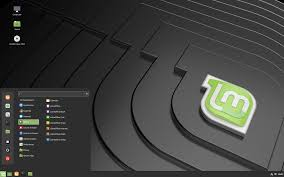
  • Decided to Give Linux Mint 22.3 a Try

    Decided to Give Linux Mint 22.3 a Try

    While I am a fan of Ubuntu and Fedora Linux, I also have a craving for new Distros and flavors when they are released.

    This is a part of the beauty of Linux. Born from one objective, made to satisfy a diverse workflow of needs in each distribution. As you may know, I am pretty forward thinking and open-minded when it comes to the technology of stationary and mobile systems.

    I have used and upgraded hardware and software systems from Linux machines, Apple, and Windows since the dawn of Windows 95.

    To this day, Lenovo has since been King of running Windows and Linux since the birth of the ThinkPad because they have the best repairability and upgradable track record of them all. My ThinkPad T490 (released in 2019) is where I am installing Linux Mint and removing Ubuntu 25.10.

    Linux Mint 22.3 is a very down-to-earth OS where users can feel right at home coming from either Windows or Mac OS. It’s simplified user interface makes it so easy to learn, and the Gnome desktop feels welcoming yet modern at the same time as you can customize it to your needs and workflow. Another welcoming add-on is the fingerprint scanner software, that works out of the box, on laptops with a fingerprint scanner installed.

    Linux Mint comes with a web browser, office applications, a music and video player, and so many more preinstalled apps (called packages in the Linux world) that help even the newest Linux user feel right at home.

    Unlike Windows and Mac OS, the user has complete control over the software and OS itself. So, if you prefer a different web browser than Firefox, which is preinstalled on many distros, you can add and remove apps right within the app store or download them over the internet (I prefer to stick to the Flatpack app store for security reasons) as long as the app is supported.

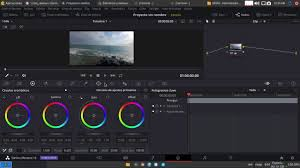
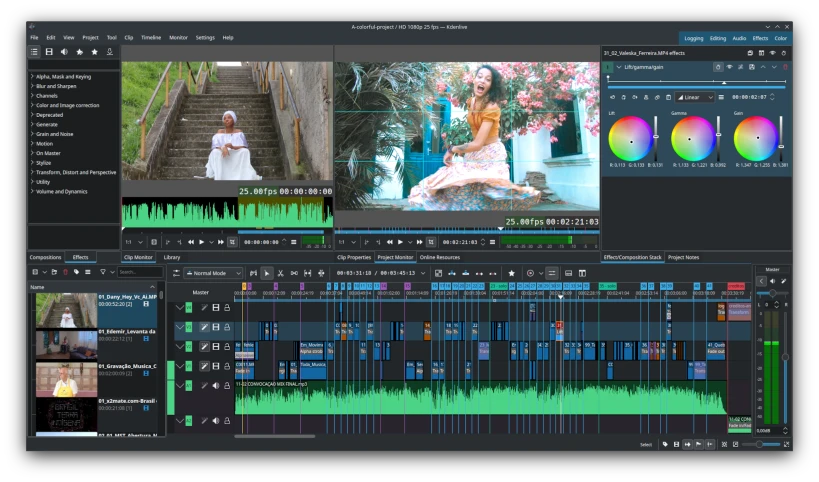
    Proprietary software, such as DaVinci Resolve, can be downloaded for Linux but is not available in the App Store since it is not considered Open Source, but has a free and paid version available. If you would like to keep supporting Open Source software, a very good alternative is KDEnlive, which is available in the app store.

    So, as I use Linux Mint 22.3, I will keep you guys updated on my YouTube channel as to whether or not I have become a fan or switched back to Ubuntu.

    Stay Tuned!

error: Content is protected !!