Tag: iOS

  • Your Data. Your Smartphone.

    Your Data. Your Smartphone.

    Your Data Belongs to Everyone

    It’s scary to think about, yet we voluntarily give up information about ourselves every single day. 

    By simply turning on your smartphone, your carrier and every app that you’ve granted location permission to, knows where you are. When you purchased your new and shiny device, you probably paid with a credit or debit card and assigned a carrier before you even left the store. 

    All of these little habits are digital trails that lead back to you. Your credit card company knows where, what, when, and how much you paid for your device. The transaction includes the device identifier number, the model number, an IMEI (eSim) or Sim Card number, you carrier’s information, your email and physical address, and other little bits of information all tied together, simply just shared with four or more different companies that will probably sell your data on top of this.

    Once you get home you’re going to want to charge your new phone and set up WiFi access to make sure that the device is unto date, you download your favorite apps, set up your email and calendar, etc. Now your device has access to your private WiFi data and this information is now available for your carrier and the device manufacturer to take as they please.

    Oh. The apps you just downloaded and logged into also have this information as well.

    At one point, you’re probably going to connect your phone by bluetooth or plug it in so you can listen to your personal music playlist or use GPS. Now your phone knows the make and model of the car you drive – maybe even your driving habits to tether this information back to your insurance company. Speaking of bluetooth, smartwatches and ear buds also have micro chips in them. This is how you can find your devices through GPS in case you misplaced it. 

    When you think about it, giving out personal information is a part of everyday life these days. It’s the normal thing to do and we never think twice about it. Yet, data scraping is too and it’s also legal for data brokers to obtain, sell, and resell your private information.

    Shouldn’t the government be protecting their citizens? I mean, we are the boss after all and they’re just on our payroll. 
  • iOS | MacOS in 2026

    iOS | MacOS in 2026

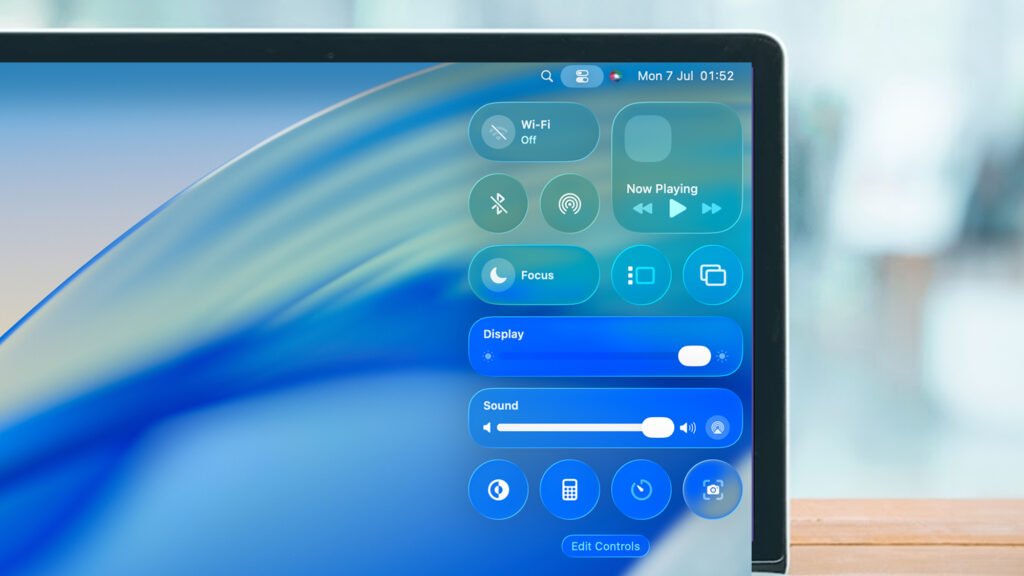
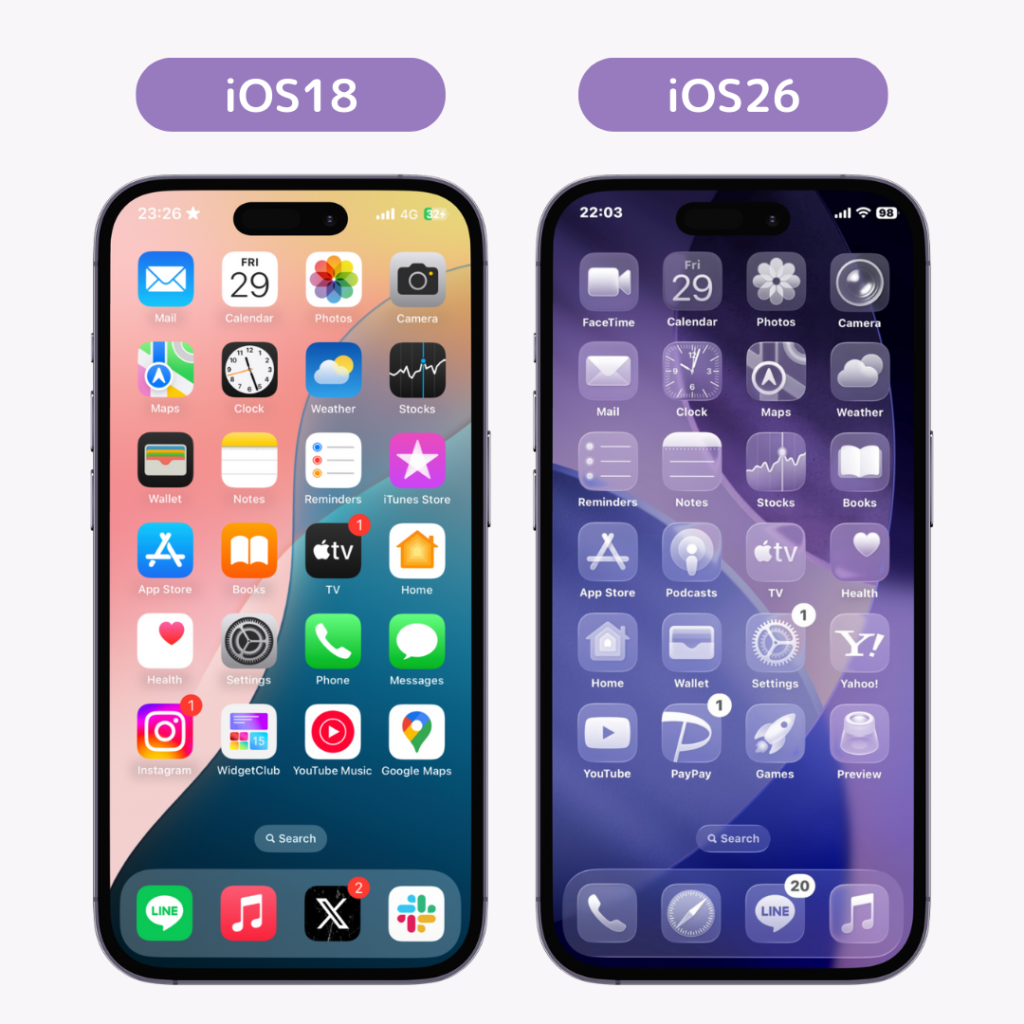
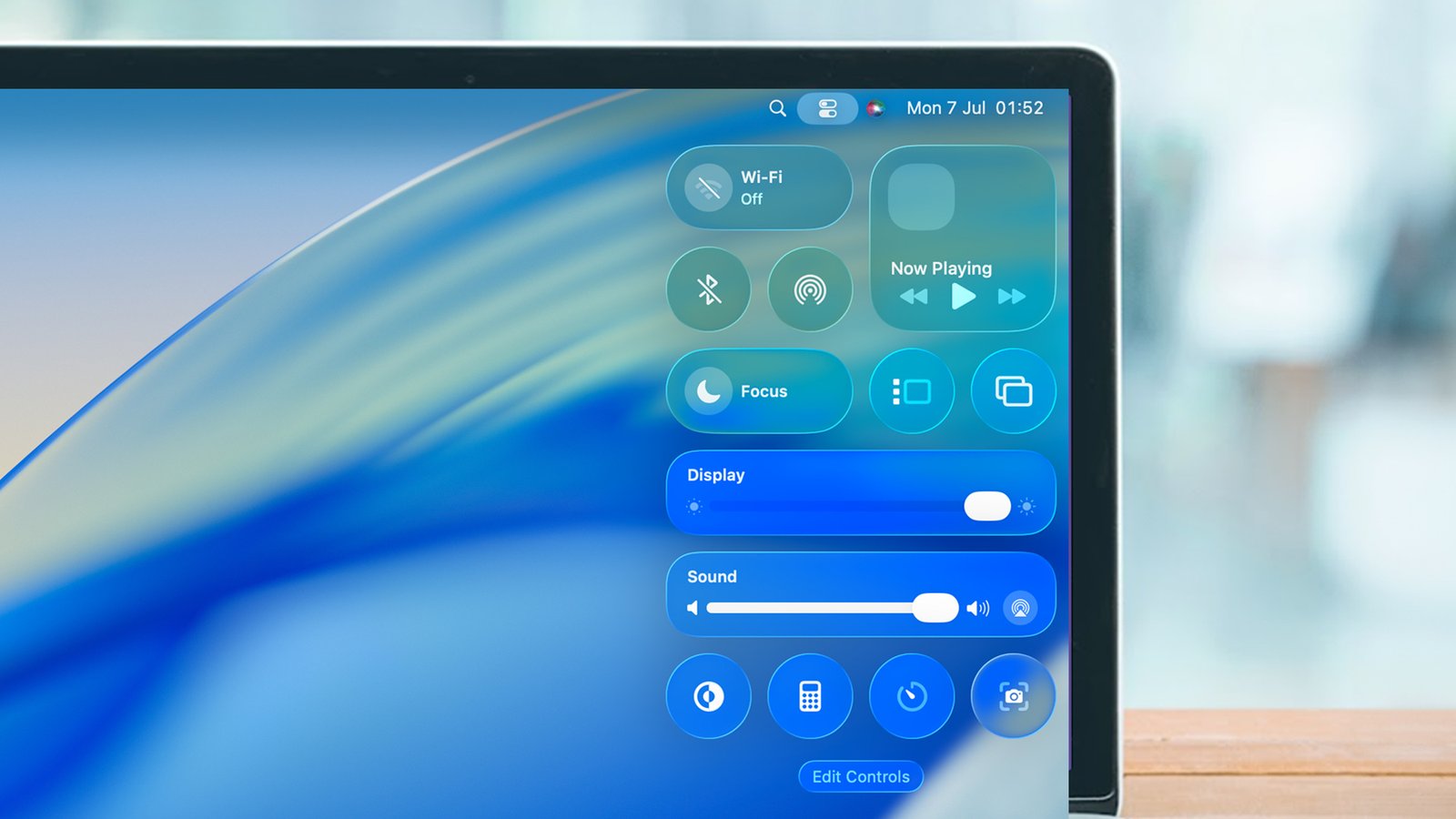
    After using iOS 26 and MacOS for about a month, I have learned a few things. First and foremost, this new glass design of Apple products takes me back to the days of Microsoft Windows Vista – in a very bad way. 

    Microsoft Vista was a transparent Windows OS, which at the time was appreciated by looking more futuristic and modern back in 2006, and apparently Apple is ‘making a comeback’ with this design 19 years later, as usual.

    Upon opening Apple’s new software redesign, mainly in iOS 26, the interface and glass design looks absolutely stunning. However the more I used it, the more it became a hindrance and mostly annoying over a usable OS for a small device.

    MacOS, on the other hand, was less cumbersome than the smaller and less intuitive form on an iPhone. Mind you, I am also using an iPhone 15 Pro Max, one of the largest landscapes of the iPhone lineup. As I appreciate the redesign of MacOS, as it is usable, iOS 26 is not my cup of tea. I don’t care how many people praise it. 

    I decided to change the settings of the glass effect back to a more stable and opaque appearance within 24 hours of using iOS 26, but the icons for the apps are still a little blurry looking for my tastes with its subtle highlights created in the design of each app.

    A few other things that I noticed after upgrading to iOS 26 is that the phone gets a bit warm while doing basic tasks and the battery life certainly is noticeably shorter. What was once lasting well over a day (or two, depending on my usage) no longer lasts a day to a day and a half. I would have to assume that this is due to Apple’s integrated ::coughs:: Apple Intelligence and how this service plays into the collection of data from your device. However, you are able to turn this off under settings for Apple Intelligence and then separately for each and every app installed on your device.

    This reminds me of Microsoft’s telemetry data collection practices, which I am also not a fan of. I don’t feel that a company that advertises their focus on privacy, such as Apple does, and then is found using the data on your personal device to teach its AI model by default. Of course, this was also the default setting for iOS 18 as well.

    Year after year, Apple has become more like Microsoft and Google in every way with data collection, operating system bugs, and even in design – and it’s a sad thing to watch. What was once premium, innovative, and secure is now basic in overall design and performance.

error: Content is protected !!