Microsoft and Windows 11, along with software (app) add-ons from the Redmond giant has taken a turn to collect as much information about you as possible.

In my opinion, Microsoft has abandoned their user base in ways that portray a combination of Apple and Google, but with deep involvement of data collection of not only your PC, but also your Phone.
I decided to reinstall Windows 11 on a back up Lenovo ThinkPad, which I previously used Fedora Linux to see what exactly the latest user set up looks like.
I found that the setup process for Windows 11 was very long and invasive. The set up took almost 2 hours, not including the after install Windows 11 updates and adding my personal software preferences to the machine.
Windows 11, during the set up process, is constantly looking for updates and restarting, requiring a mandatory Microsoft ID (or create one) to activate your PC. In the midst of registering your PC, Microsoft asks that you verify your Microsoft ID with a Passkey or use your phone to set one up. While I won’t do either of these, I clicked on Passkey option and then clicked on Cancel. This brings up the option to use your password or an authenticator app.
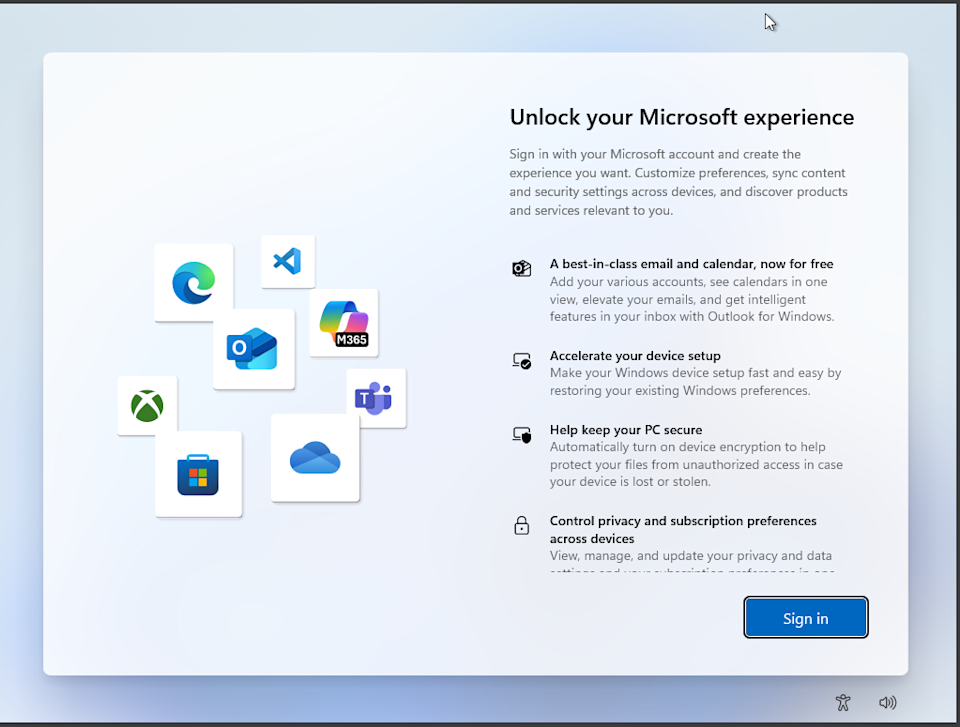
At this point, it is clear that Microsoft is trying to click bait you into allowing your phone and it’s information to become a part of your Microsoft ID.
Microsoft then goes through a hard sell for Microsoft 365 (formerly Office and used to be included with Windows), an XBox subscription, and a checkbox questionnaire asking you how you plan on using your PC (business, student, developer, etc.).

Next, Microsoft then asks you to add your phone to Windows 11 (I would assume because you didn’t fall for the Passkey trick in the beginning of setup), turn on backup to OneDrive from your phone to save your pictures and documents, and then asks you if you want a Basic OneDrive subscription.

After all of this, your PC will restart a few times more and you can finally see your desktop. But don’t get settled in yet. Now we have to remove invasive Microsoft and 3rd party apps, deal with Microsoft Edge data collection and forcing its way into your workflow, update Windows 11, and change settings, and tucked away setting, to prevent Microsoft from collecting data.
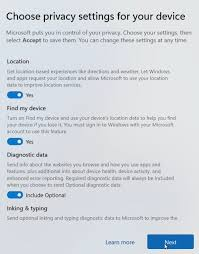
When we started this installation, Microsoft ask us if we want to turn off or on multiple security options, such as access to your location, typing and other personal tracking such as other data collection – but those options were just the tip of the iceberg. There are many other settings in Windows 11 that should be modified, and can take some time to review / turn off / remove.
I’m not going to go into detail here, and maybe I will in a future article, but Windows clearly took the mandatory Microsoft ID sign in from Apple for ‘security and Windows Activation’ and combined it with Google’s idea of data collection to create a data collection monster to sell your information, share your information with 3rd party services, show you ads, and completely ruin your Windows 11 experience to the point where people are leaving Microsoft in the dust to a better user controlled experience with Apple or Linux.

I have recently experimented with different Linux Distros recently on my main PC (and have done so since the late 1990’s), and the experience is overwhelmingly positive. But, I also know what I am doing with Linux. This also brings into light the advantage Microsoft has over you switching to Linux or paying an obscene amount of money for Apple ‘rented’ hardware for 6-8 years – I’ll get into that in another article as well.
Leave a Reply